Verified by AI SoloHR Compliance & Editorial Team (U.S. Employment Law & Regulatory Compliance Research Group)
Last Audit: Oct 11, 2026 17:23
Managing leaves of absence under the Family and Medical Leave Act (FMLA) is one of the most resource-intensive challenges U.S. small and mid-sized employers face. To escape the paperwork, many growing organizations outsource their leave management to large Third-Party Administrators (TPAs) or insurance carriers like Unum, Sedgwick, The Hartford, and MetLife.
Large TPAs remain a practical choice for many enterprise employers that need nationwide claims administration. However, in 2026, a growing number of U.S. employers are exploring Unum alternative and Sedgwick alternative options because their operational needs differ from Fortune 500 companies.
Let's analyze why outsourcing FMLA often fails for SMBs, evaluate FMLA outsourcing costs, and explore why self-tracking using automated FMLA tracking software is becoming the preferred strategy.
Sources and review notes
This article is written for U.S. small-business HR teams in 2026 and should be checked against your own policy, state requirements, and counsel guidance before use in a contested employment decision. AI SoloHR provides workflow structure, reviewed drafting support, and educational resources; it does not provide legal advice or make final employment decisions.
Statutory Sources & Regulatory Citations
This compliance document references official regulatory guidance from federal employment enforcement agencies:
to compare PEPM outsourcing overhead against automated flat-rate in-house tracking.
The Friction of Outsourcing Leaves: A Critical SMB Bottleneck
While outsourcing promises to transfer administrative burdens, it frequently introduces new operational friction points. Employers looking for a Sedgwick vs in-house FMLA comparison often discover that the "hands-off" promise of a TPA is replaced by a massive wall of ticketing bureaucracy, leaving HR teams to handle the fallout of employee complaints.
Bureaucratic Delays in TPA Case Determinations
TPAs handle millions of active claims across thousands of corporate accounts. Consequently, a simple employee request for FMLA leave can sit in a processing queue for weeks before a determination is reached. When an employee submits a medical certification, the TPA's validation team may take 15 to 20 business days just to verify the provider's signature.
This lag is caused by their industrialized scale; medical forms are scanned into centralized document repositories where automated optical character recognition (OCR) tools often fail, throwing the case into a manual review queue.
During this waiting period, HR is left in limbo regarding shift scheduling and coverage. If an employee requests intermittent leave for recurring treatments, the lack of timely decisions causes immediate friction: supervisors do not know whether to count absences as unexcused, and employees feel pressured and unprotected.
This sluggish pacing compromises operational planning, spikes labor overtime costs, and increases the risk of inadvertent FMLA interference claims.
Loss of Real-Time Employee Visibility for HR
When leave data sits inside a proprietary external portal, your internal team lacks real-time visibility. Coordinating return-to-work dates, light-duty accommodations under the Americans with Disabilities Act (ADA), and payroll benefits becomes a manual coordination nightmare.
HR managers must log into separate, clunky carrier systems just to check the status of a single worker.
TPAs operate in siloped systems; they do not integrate with your daily clock-in tools or your local payroll configurations. This disconnect frequently leads to payroll errors, where employees on unpaid FMLA leaves are accidentally paid, or employees returning to active status have their benefits deducted incorrectly.
HR is often forced to dual-log details into both the TPA portal and their internal HRIS, duplicating effort and creating room for data entry errors.
Deep Case Analysis: The High Cost of Unum and Sedgwick Outsourcing in 2026
To truly evaluate FMLA outsourcing, employers must look beyond sales pitches and analyze actual operational outcomes and fee structures.
A Common FMLA Outsourcing Failure Scenario
In a hypothetical scenario, a regional healthcare organization outsourced all leave claims to a national carrier to handle their growing clinical headcount. An operations supervisor requested FMLA leave for an upcoming surgery. The carrier delayed the medical certification review by 18 days, failing to issue the required notice forms within the mandated federal window.
During this delay, the supervisor’s local manager—unaware of the pending FMLA request due to a lack of shared dashboard access—terminated the employee for "no-show" attendance issues. The healthcare organization was hit with an FMLA interference and retaliation claim.
Because the employer could not produce an active, pre-existing documentation history verifying the termination would have occurred regardless of the leave, they faced significant legal liability and settlement overhead.
The PEPM Cost Trap: Paying for Headcount Instead of Value
Most traditional TPAs charge employers on a Per Employee Per Month (PEPM) basis, regardless of whether employees actually request leave. If you have 250 employees and a TPA charges you $4.50 PEPM, you are paying $1,125 per month ($13,500 per year) simply to maintain access.
When you consider that only 5% to 8% of your workforce will typically request FMLA leave in a given year, you are paying thousands of dollars for inactive accounts. Furthermore, many contracts include hidden administrative fees, such as setup costs, document processing surcharges, and appeal review fees.
This means your true PEPM cost is often 20% higher than the baseline rate, creating a significant drain on mid-market operating budgets.
TPA Outsourcing vs. In-House Leave Management Software
To illustrate the differences, consider this direct comparison:
Transitioning FMLA and Leave Management In-House Safely
Bringing FMLA tracking back in-house does not mean returning to manual, error-prone Excel spreadsheets. In 2026, modern leave management systems provide the guardrails necessary to manage leaves in-house with zero legal risk.
Automated Employee Intake and Tenures Verification
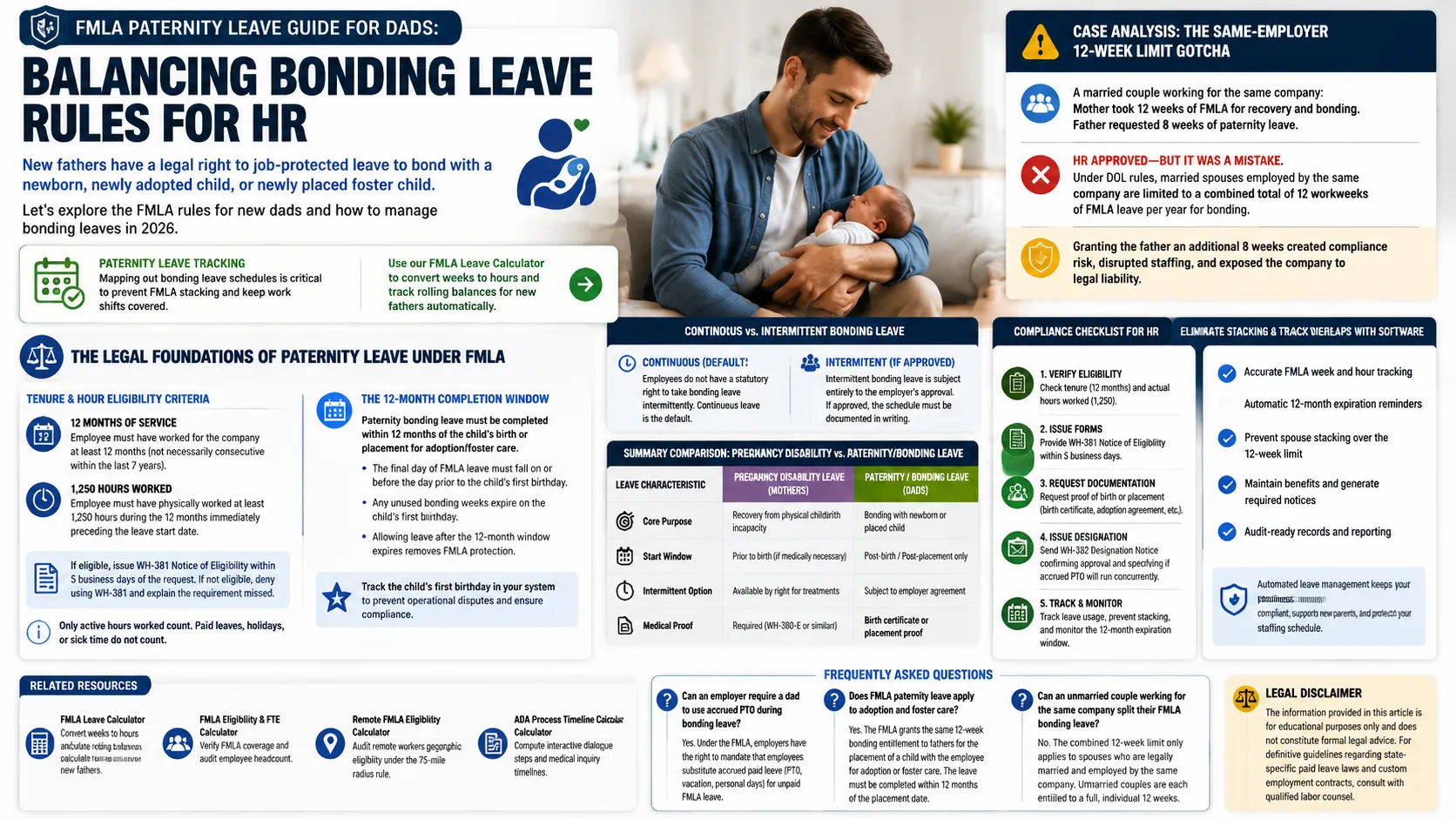
By utilizing an in-house FMLA management software workspace, employees submit requests directly through a secure portal. The system instantly cross-checks their hire date and hours logged against federal eligibility requirements (12 months of service and 1,250 hours worked).
It pre-populates official Department of Labor forms, such as the Form WH-381 Notice of Eligibility and Form WH-382 Designation Notice within seconds. This ensures you satisfy the strict 5-day notification window mandated by federal regulations without needing a dedicated compliance specialist on your payroll.
Establishing Defensible Timestamps for Retaliation Audits
When evaluating Sedgwick vs in-house FMLA management, the strength of your documentation is paramount. When an employee claims wrongful termination after requesting leave, the employer must produce a verifiable, timestamped paper trail. Self-managed compliance software automatically records every milestone: when the request was made, when the WH-380-E medical certification was issued, and when reminders were sent.
This creates an unalterable audit log that defense counsel can use to prove the employer followed objective, legal protocols. By keeping these records in your own database, you eliminate the risk of lost records or carrier retrieval delays during a critical DOL audit.
Related Resources
FMLA Leave Calculator — Convert weeks to hours and simulate complex rolling 12-month balances.
PEPM pricing is charged on your active payroll headcount. If your company headcount increases from 100 to 200, your monthly FMLA administration costs double automatically, even if your actual leave claim volume remains unchanged.
Can an employer legally override a TPA's FMLA decision?
Yes. The employer remains the ultimate legal "fiduciary" and decision-maker under federal law. If a TPA makes an incorrect determination that leads to a lawsuit, the employer—not the TPA—is held liable in court.
Is in-house leave tracking legally compliant under federal rules?
Yes. Federal regulations do not mandate that leave be managed by a third party. As long as your in-house team adheres to DOL timelines, calculates rolling backward balances accurately, and preserves medical confidentiality, self-tracking is fully compliant.
⚖️ Legal Disclaimer: The information provided in this article is for educational purposes only and does not constitute formal legal advice. For definitive guidelines regarding state-specific paid leave laws and custom employment contracts, consult with qualified labor counsel.