FMLA Case Management & Leave Tracking Software
Stop losing FMLA deadlines in spreadsheets. AI SoloHR tracks leave requests, certification deadlines, and rolling 12-month balances for U.S. small business HR. Free trial.
Built for U.S. employers and small-business HR teams.
Look Inside AI SoloHR's FMLA Workspace
See how simple tracking becomes when case profiles, rolling backward calendar metrics, designation notices, and chronological timelines are managed in a single, secure interface.
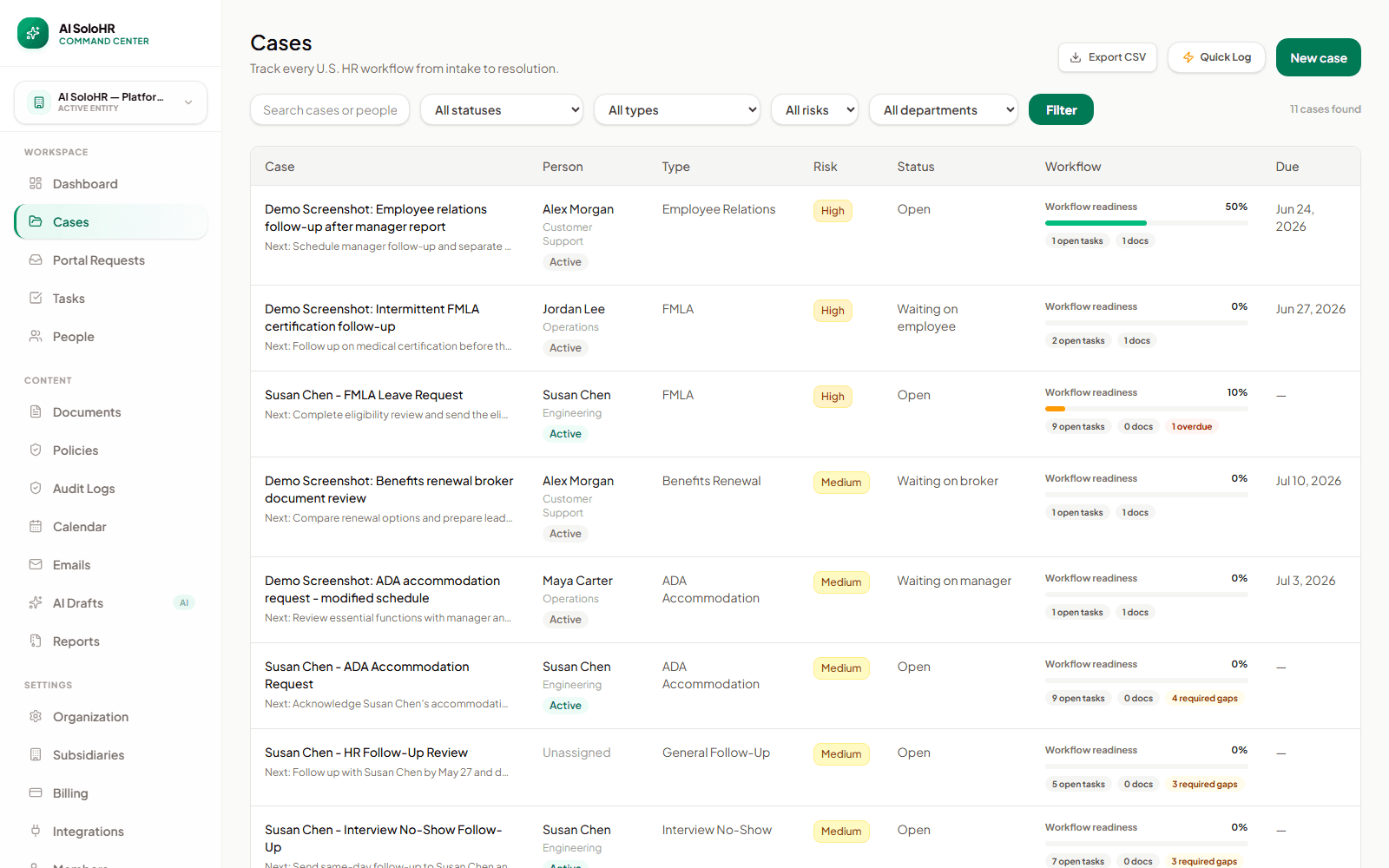
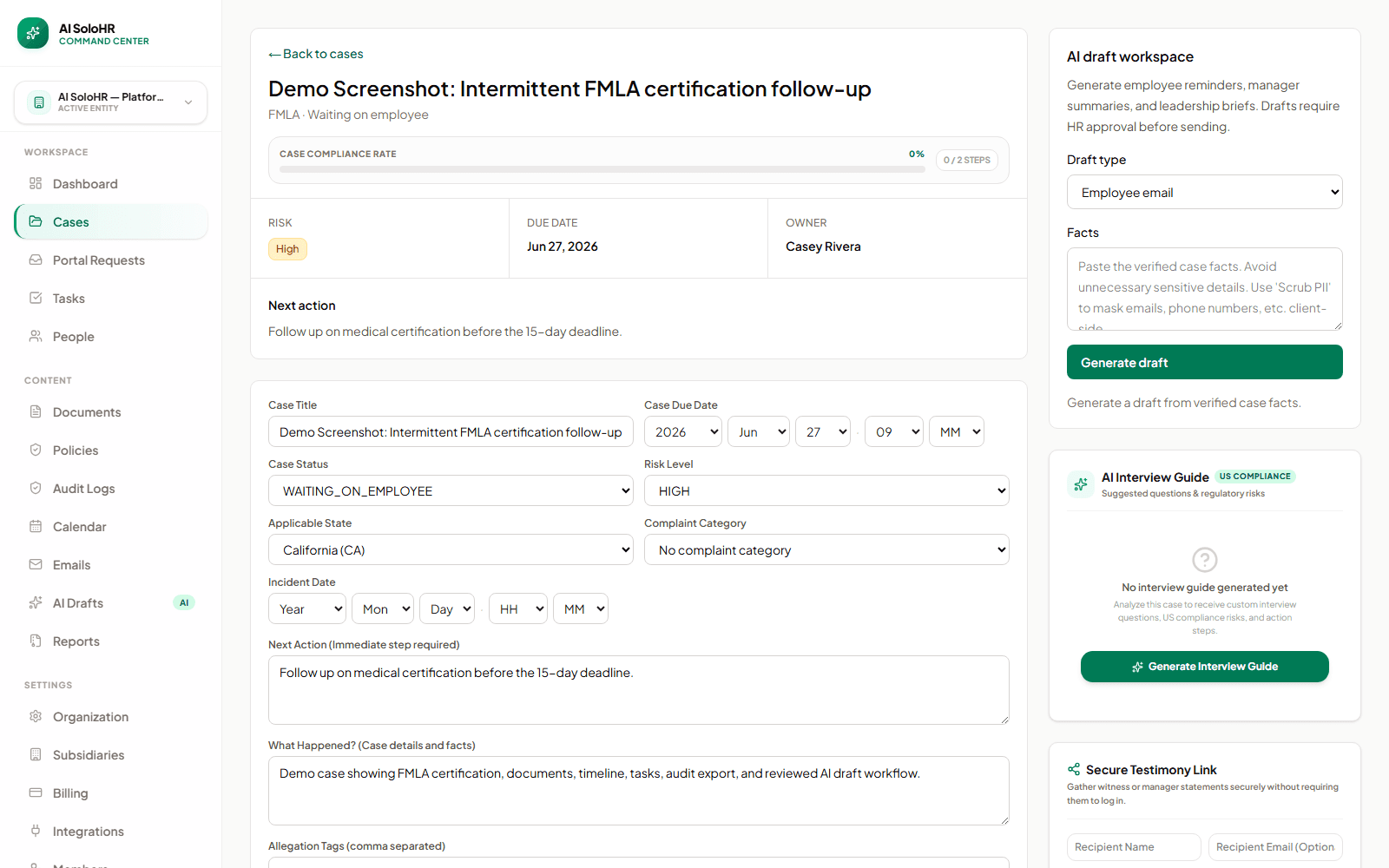
Premium Workflow Workspace
This documentation details a specialized workflow that requires a Solo HR / HR Ops plan active in your organization settings. Explore our Pricing Plans to upgrade your account and unlock this capability in the software.
Key takeaways
- Deadline visibility
- Task ownership
- Document trail
- Reviewed employee updates
Core Software Capabilities
Automated Notice Generator
Verify FMLA eligibility instantly, generate Form WH-381 and Form WH-382 as PDFs, and securely track delivery times.
Pro-Rata Intermittent Leave Calculator
Deduct partial-day absences based on the employee's specific workweek fraction, preventing rolling balance drift.
HIPAA-Compliant Document Vault
Isolate medical records from general employee files, restricting access strictly to authorized HR admins.
How AI SoloHR Compares
| FMLA Management System Metric | Manual Spreadsheets | Generic FMLA Tracking Software | AI SoloHR |
|---|---|---|---|
| Rolling 12-Month Calendar calculations | Error-prone formulas & manual entries | Mostly static calendar year buckets | Dynamic rolling-backward hourly calculations |
| FMLA 5-day notice compliance alerts | No alerts (requires manual tracking) | Simple calendar tasks, no SLA gating | Hard compliance dead-lines with proactive alerts |
| Medical records privacy (HIPAA & ADA) | Stored in shared drives or local folders | Mixed in standard employee profile attachments | Strictly isolated secure vault with restricted roles |
| Return-to-work interactive log | Scattered emails & chat notes | Generic note-taking, no workflow structure | Standardized timeline tracking and interactive prompts |
Rolling 12-Month Calendar calculations
Error-prone formulas & manual entries
Mostly static calendar year buckets
Dynamic rolling-backward hourly calculations
FMLA 5-day notice compliance alerts
No alerts (requires manual tracking)
Simple calendar tasks, no SLA gating
Hard compliance dead-lines with proactive alerts
Medical records privacy (HIPAA & ADA)
Stored in shared drives or local folders
Mixed in standard employee profile attachments
Strictly isolated secure vault with restricted roles
Return-to-work interactive log
Scattered emails & chat notes
Generic note-taking, no workflow structure
Standardized timeline tracking and interactive prompts
Interactive FMLA Headcount & Eligibility Calculator
Verify if your business meets the federal 50-employee threshold (within a 75-mile radius) and check your team's compliance instantly below.
What makes FMLA case management hard for small HR teams
FMLA work usually breaks down when the request, certification deadline, manager updates, and document trail live in different places. A small HR team may know exactly what should happen next, but still lose time rebuilding the case every time a question comes up.
The real issue is not the form itself
Most teams can find the official Department of Labor forms. The harder part is keeping the workflow around those forms organized: who requested leave, what deadline is active, what document is still missing, and what communication has already gone out.
Why spreadsheets stop being enough
A spreadsheet can list due dates, but it usually cannot keep the supporting notes, uploaded files, manager questions, and final resolution connected to the same record. That gap is where missed follow-ups and unclear paper trails show up.
The "Paid Medical Leave" Trap for Small Businesses
Many generous employers continue paying employees on sick leave or even grant yearly raises without formally designating the leave as FMLA. This creates an enormous legal liability. Without starting the official 12-week protected FMLA clock, the employee's leave time does not legally count toward their annual limit. If you later terminate them for attendance or performance, you expose your company to massive FMLA interference and retaliation lawsuits. Formally designating leave is not just administrative; it is your primary legal defense.
What a strong FMLA case record should include
A useful FMLA case record should let HR understand the full status of the request without searching through inboxes or multiple tools.
Core case fields
Every case should capture the basics needed to move the work forward and explain it later.
Operational history
The record should also show what actually happened over time, not just the current status.
How AI SoloHR structures the workflow
AI SoloHR turns FMLA work into a case-based workflow so intake, documents, deadlines, and communication stay connected.
Open the case from the first request
Create a case as soon as a leave request or potential leave issue appears. That gives HR a single place to store facts from the start instead of reconstructing them later.
Track deadlines with task ownership
Tasks can capture certification follow-up, document review, manager coordination, return-to-work planning, and resolution steps, each with a visible due date.
Keep notes, files, and messages attached to the same case
Instead of storing updates in separate folders and threads, AI SoloHR keeps files, notes, drafts, and timeline events anchored to the leave case they support.
Draft updates without removing human review
When HR needs to communicate with an employee or manager, AI SoloHR can help generate a draft from verified case facts. The draft still stays under human review before anyone sends it.
Why this approach works better than spreadsheets
Spreadsheets are fine for static lists. FMLA work is not static. It changes every time a new document arrives, a due date moves, a manager asks a question, or an employee replies. A case-based workflow keeps the record current as the work changes.
Important boundary
AI SoloHR supports documentation and workflow management. It does not determine legal eligibility for leave, give legal advice, or replace professional review.
A Certification Deadline Scenario
What Starts the Clock
The 15-day certification deadline begins the day you issue Form WH-381. If the employee requests FMLA leave, you must verify eligibility and issue the notice within 5 business days, establishing the concrete baseline date in the employee's timeline.
What Follow-Up Should Be Logged
As the 15-day deadline approaches, HR must document every attempt to contact the employee. An incomplete record is a high-risk audit gap; logging follow-ups protects the company from interference claims.
What Happens if the Record Stays Incomplete
If the physician's certification is vague or incomplete, you must notify the employee in writing and grant exactly 7 calendar days to cure the deficiencies. Document this transition to prevent disputes if the leave must be denied.
A Return-to-Work Planning Scenario
What Should Already Be in the Record
Before return-to-work planning begins, the case file must show completed certifications stating the expected duration and any physical restrictions. This acts as the baseline for the interactive process.
What Needs a New Follow-Up Step
If restrictions exist, HR must coordinate with operations managers to verify if the accommodation is possible. This cooperative process protects the employer from ADA retaliation claims.
What the Final Closeout Should Capture
Once the employee returns to full duty or an accommodation is successfully completed, HR must close the case file, stamping a final compliance timeline that logs all used leave hours.
“AI SoloHR took the complexity out of our intermittent FMLA tracking. The automated notice generators and rolling calendar saved us from at least two critical deadline oversights last quarter.”
How to read this use-case page
A use-case page is meant to help you judge workflow fit. If the problem described here sounds like your current HR process, that usually means you need a clearer case record, a more visible task flow, better document handling, and a stronger timeline than spreadsheets or inboxes provide.
- Use the page to compare your current process against a structured case workflow
- Look for where deadlines, documents, and communication tend to drift today
- Use the product and pricing pages if the use case already matches active work inside your team
What this page does not claim
This use-case page explains workflow support and documentation structure. It does not claim that AI SoloHR makes legal decisions, replaces an HRIS, or automates protected-employment judgments for your team.
AI SoloHR is designed to support case records, tasks, documents, timelines, and reviewed AI drafts inside one workflow. It is not a substitute for legal, medical, benefits, or policy review where those are needed.
Keep Exploring
Frequently asked questions
What is FMLA case management?
FMLA case management is the systematic process of coordinating, documenting, and tracking an employee's family and medical leave from request to return. It ensures federal compliance, preserves key deadlines, and compiles an audit-ready timeline.
How do I track FMLA cases for small businesses?
The best way to track FMLA cases is to organize leave requests, medical certifications, task deadlines, and communications into a single, centralized case file. This is far more compliant and secure than using disjointed spreadsheets or emails.
What information should be in an FMLA case file?
An FMLA case file should contain the initial intake request, eligibility determinations (such as FTE headcount checks), copies of Form WH-381/WH-382, completed medical certifications, chronological timeline logs of case status changes, and any communication history.
Related Interactive Calculators & Tools
FMLA Leave Calculator
Convert FMLA workweeks to precise hours and calculate leave limits.
FMLA Eligibility & FTE
Verify if your business meets the 50-employee FMLA threshold.
FMLA Interference Risk
Evaluate your company's risk of FMLA interference or retaliation.
FMLA Hours & Leave Calculator
Convert FMLA weeks to precise hours based on your work schedule.
Intermittent FMLA Leave Tracker
Log absence dates and hours with a rolling 365-day balance tracker.
Related Compliance Articles & Guides
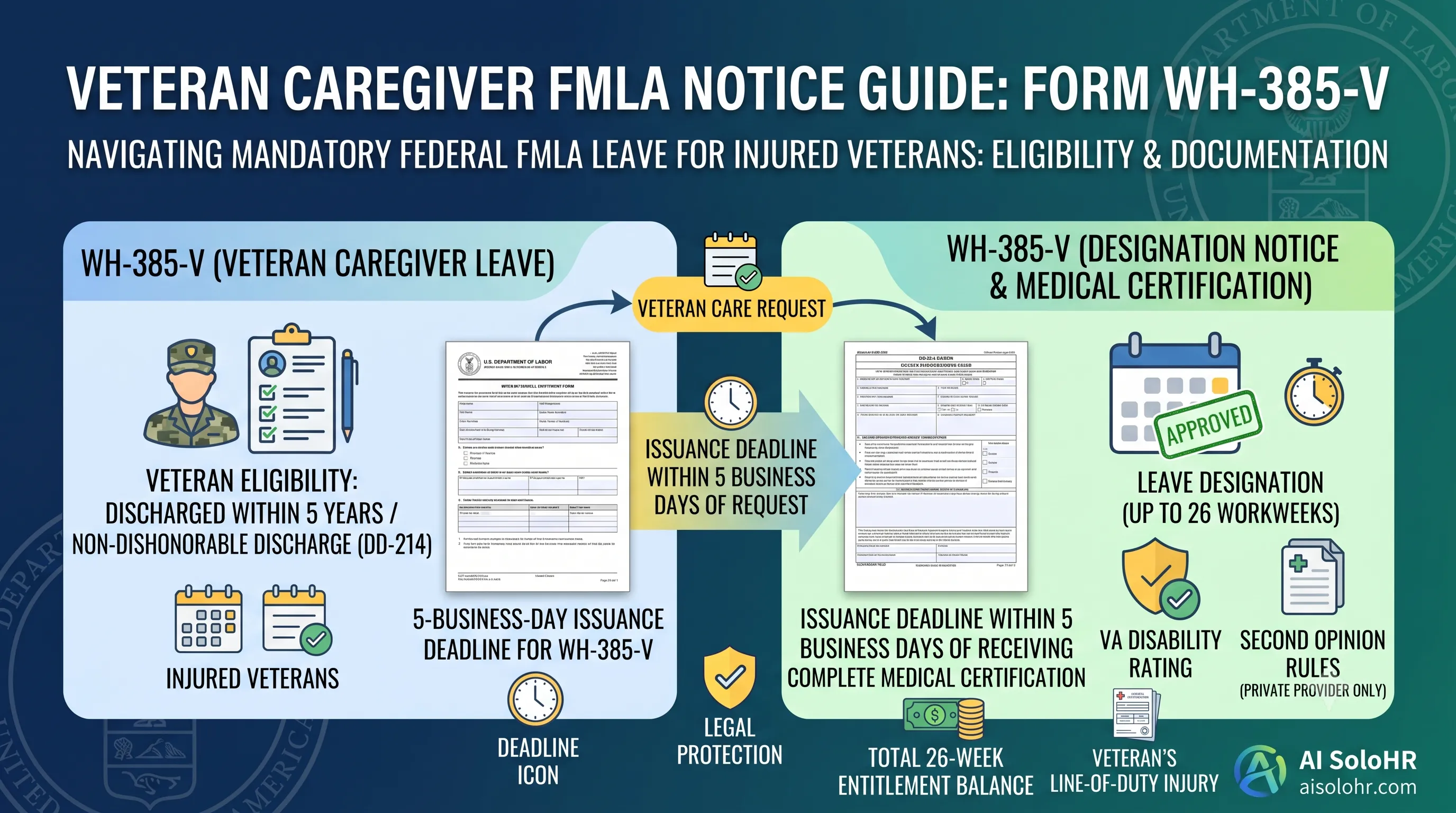
WH-385-V Instructions: Complete FMLA Veteran Caregiver Leave Certification Guide (2026)
A section-by-section guide to completing DOL Form WH-385-V for veteran military caregiver leave. Master the 5-year post-discharge rule, DD-214 verification, bad vs. good certification examples, and 26-week entitlement limits.
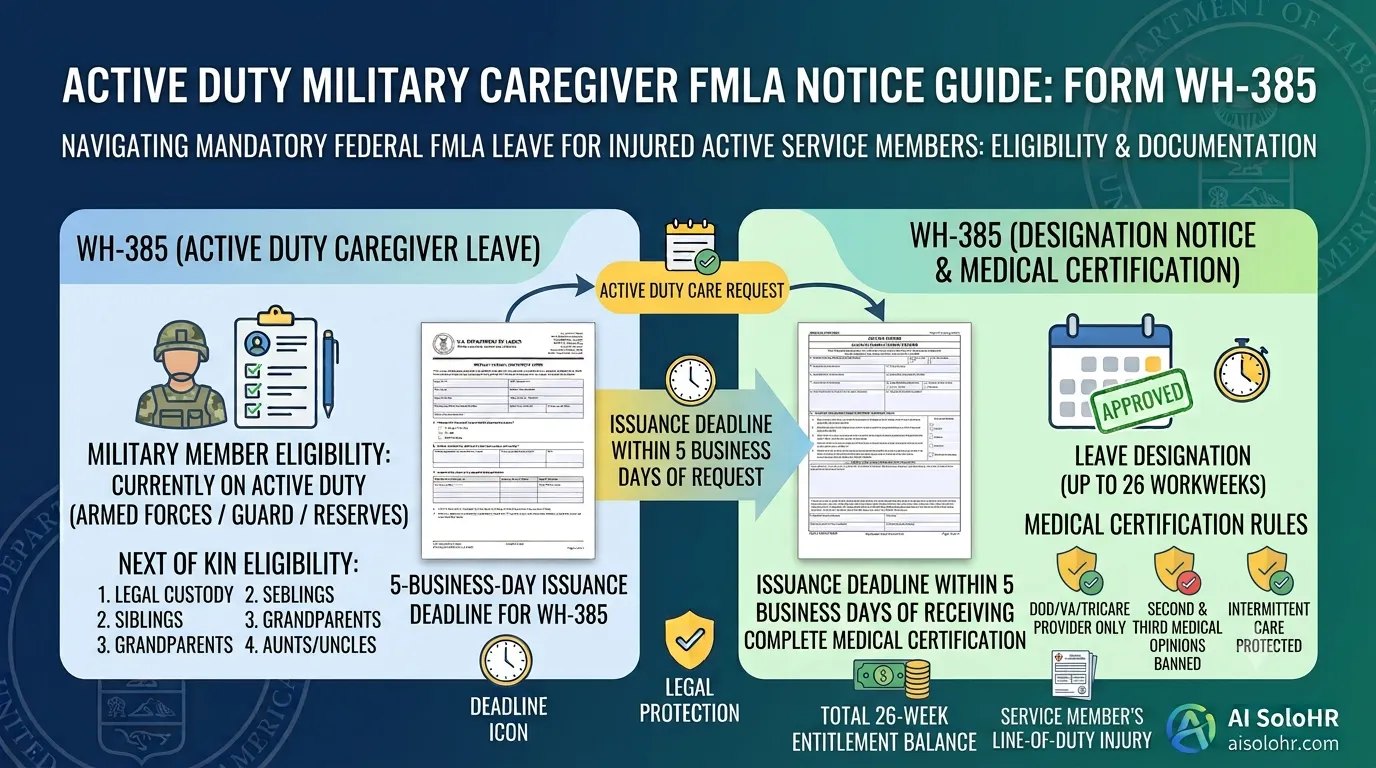
WH-385 Instructions: FMLA Military Caregiver Leave Certification Guide (2026)
A section-by-section HR guide to completing DOL Form WH-385 for active duty military caregiver leave. Master 26 workweeks entitlement, Next of Kin relationship rules, DOD medical certifications, and real-world case examples.
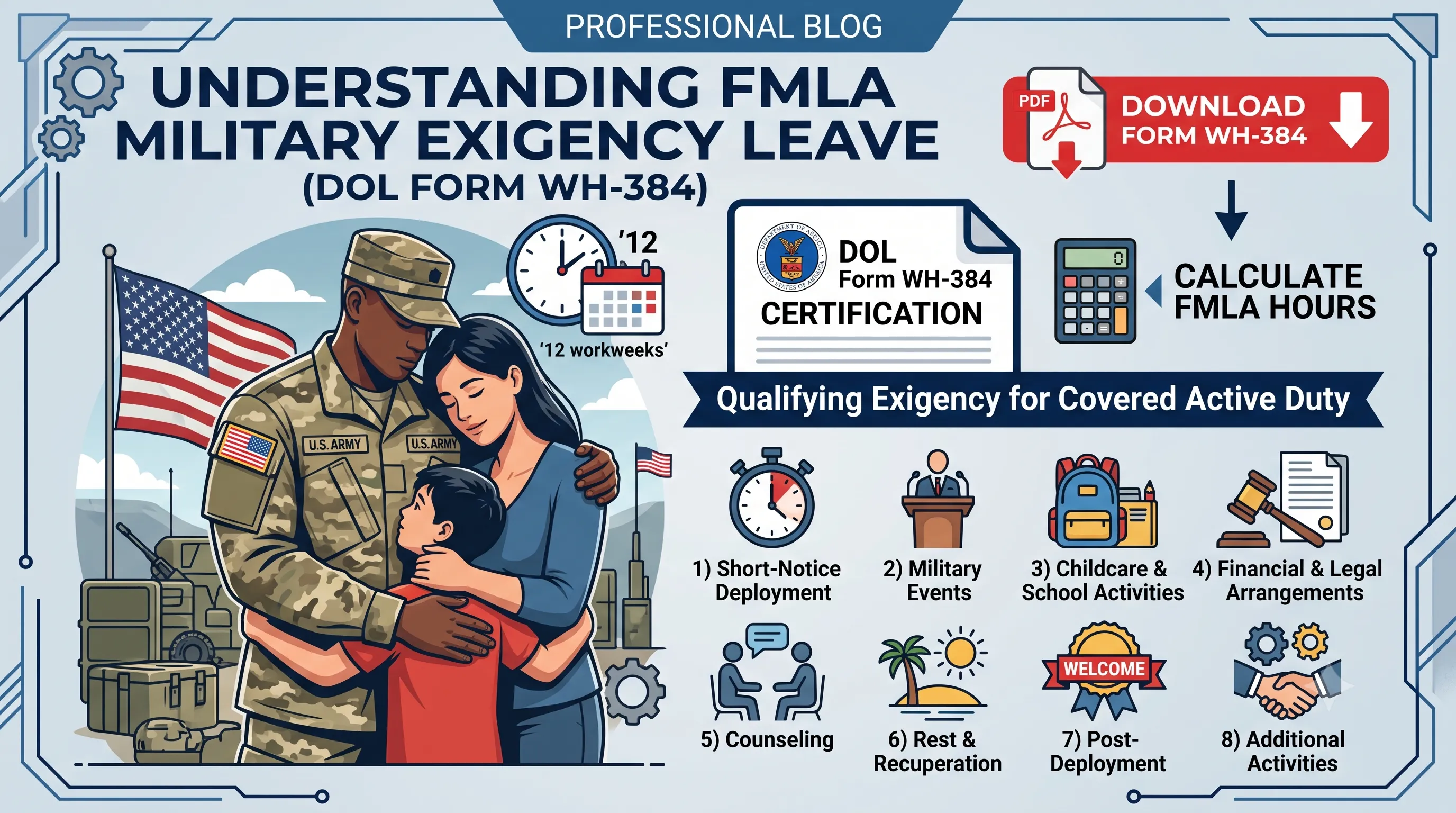
WH-384 Instructions: FMLA Qualifying Exigency Leave Certification Guide (2026)
A section-by-section HR guide to completing DOL Form WH-384 for military exigency leave. Master the 8 statutory exigency categories, active duty order verification, bad vs. good certification examples, and 12-week entitlement rules.
FMLA Spreadsheet Disruption Warning
Manual tracking of medical certifications (15-day cure window), rolling balances, and intermittent schedules across multiple managers invites high risk of FMLA interference claims. When leaves pile up, static files fail to protect the company.
Put this guidance into action
AI SoloHR helps U.S. small-business HR teams turn manual compliance steps into tracked tasks, defensible timelines, secure document records, and reviewed AI drafts.
- 14-day full platform access
- Up to 3 active cases
- Up to 30 employee records
- All 7 U.S. case types unlocked
This resource is intended for U.S. HR operations and educational purposes only, and does not constitute legal advice. Consult a qualified professional or employment attorney regarding your specific federal and state compliance obligations.